2026
How to leave a word puzzle unfinished without losing your place
There is a useful difference between finishing a puzzle and finishing a puzzle session. A session can end after one good deduction, an unsuccessful experiment, or a decision to stop staring at the same corner. You do not need a completed board to have made progress. The difficulty is returning later and understanding what you had actually established.
That problem becomes especially clear in puzzles that combine crossword clues with movable letter pieces. Part of your work happens on the board, but another part exists only in your head: a possible answer, a rejected orientation, or a suspicion that one apparently sensible placement is wrong. A saved board preserves the first part. It does not necessarily preserve the second.
Make the board easier to read before leaving
Before stopping, separate the things you know from the things you are testing. A word that definitely answers a clue is different from a piece that happens to fit an empty space. If you treat both as equally certain, you may spend the next session defending an arrangement that was only a guess.
A simple stopping routine is to identify one reliable clue answer and one unresolved question. You might know a particular crossing letter but remain uncertain about which piece supplies it. That is a more useful place to restart than a vague memory that the left side was almost finished.
You can keep a short note if the game does not provide one. Something like “recheck the crossing above the long horizontal piece” is enough. Avoid writing down a full walkthrough unless that is how you want to play. The purpose is to preserve your reasoning, not remove the puzzle.
Start small enough to understand the controls
A first level should help you distinguish a control problem from a solving problem. If a piece does not land where you expect, check how its position is anchored before deciding that your answer is wrong. Dragging a shape by its center and placing it by a marked letter are not necessarily the same operation.
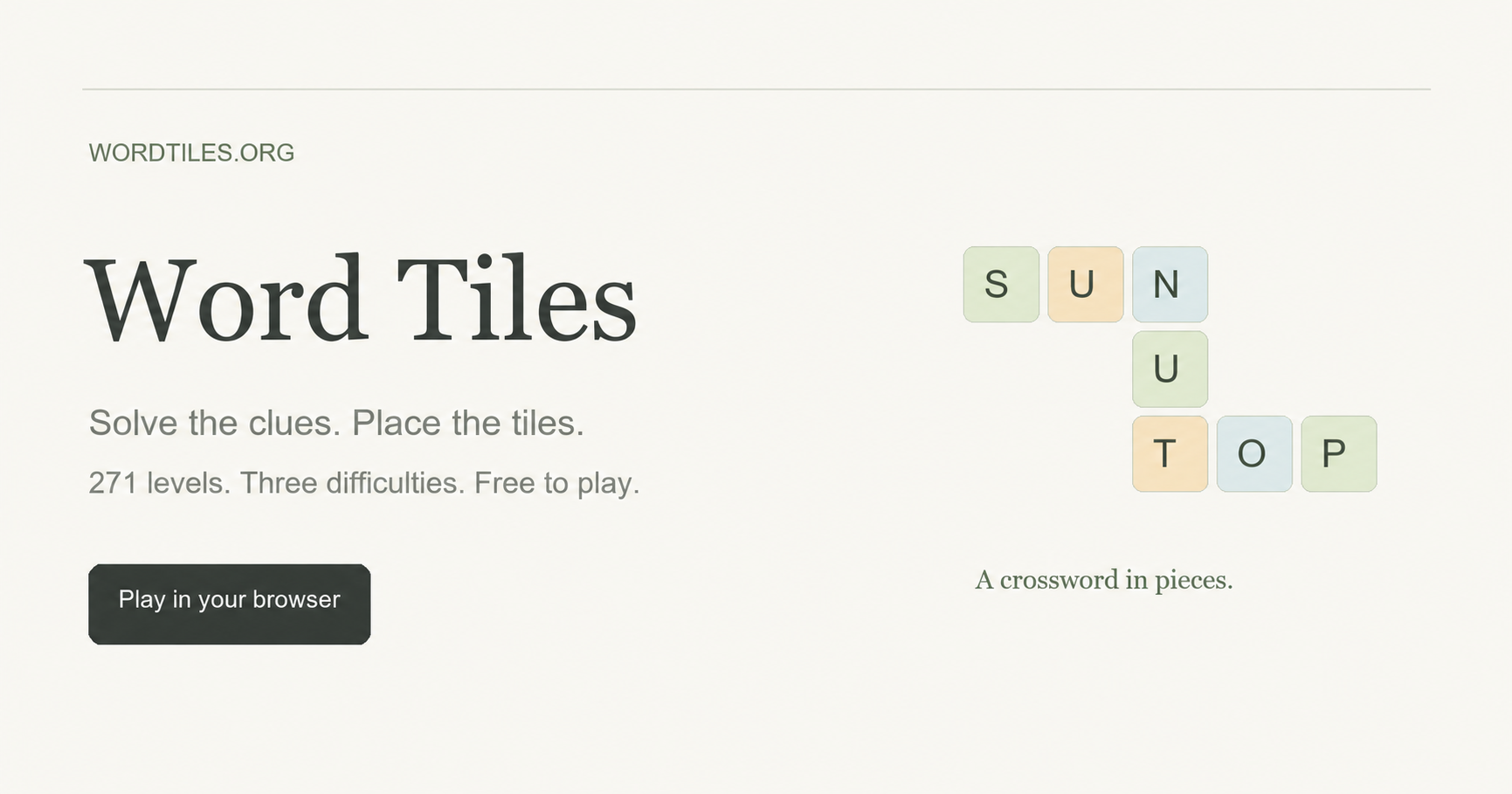
Word Tiles, a browser game on a site I manage, provides a concrete example. Its Normal level 1, First Crossings, has a three-by-four board, two pieces, and three words. Those small numbers make it a useful setting for learning how the letter pieces interact with a crossword. You can observe an entire arrangement without having to track a large pile of pieces.
The game uses a marked letter as the placement reference. Normal pieces keep a fixed orientation. Hard and Ultra add clockwise quarter-turn rotation, but never flipping. If you move between difficulties, remember that the set of available moves has changed. An arrangement impossible in Normal might require a rotation elsewhere, not a different clue answer.
Choose a stopping point instead of chasing a streak
Numbered puzzles and daily puzzles encourage different habits. A daily puzzle gives everyone a shared prompt, which can be enjoyable for comparison and conversation. A numbered collection gives you more control over which challenge to attempt and when to continue. Neither structure is automatically better.
For an interrupted day, it can help to decide on a small goal: learn the controls, complete one level, or resolve one uncertain crossing. The goal should describe something you can recognize. “Get better at word games” is too broad to tell you when to close the tab.
In this example, there is no countdown and no daily reset to wait for. The collection currently lists 271 levels across Normal, Hard, and Ultra. The first ten levels of each difficulty are available initially, with later levels unlocking in order. Progress is separate for each difficulty, so choosing an easier board does not require abandoning the harder collection.
Those details matter more than the size of the collection alone. A large list is not much help if you cannot find a reasonable starting point or resume an unfinished attempt.
Treat help as a change you should inspect
A hint can alter more than the piece you were watching. In Word Tiles, it places one piece in a reference position and returns conflicting pieces to the tray. That means a board can look less complete immediately after receiving help.
Instead of interpreting that as lost progress, ask what conflict was exposed. Was a plausible clue answer sitting in the wrong place? Did a neighboring piece block the reference placement? Understanding the change gives you something to use on another level.
Undo is useful for comparing arrangements while the page remains open, including changes made by hints or restarting. It should not be mistaken for a permanent history of every previous session. If your stopping routine depends on reconstructing ten earlier moves after reopening a tab, check the game’s limits first.
Know what a browser save does not promise
Local saving is convenient because it removes the need to create an account before playing. It also creates a boundary that is easy to overlook: the save belongs to that browser environment. Opening the same website on a different device does not imply that the same board will appear.
The documented behavior here is that completed levels and current placements remain in the same browser. There is no account-based cross-device synchronization. If you expect to continue later, use the same browser and avoid treating a bookmark as a backup of your progress.
The rules and control details are collected in the Word Tiles playing guide. I have used the game as an example because its combination of words, shapes, and local saves makes these distinctions visible, not because every puzzle session needs the same routine.
Before leaving any puzzle, try asking three questions: what do I know, what am I testing, and what will still be saved? A clear answer to each can make an unfinished board much easier to return to.
A useful Scrap Mechanic opening checkpoint: do not leave the crashed ship just because the visible fires look finished. Trigger Getting Started, extinguish the three marked interior fires, reconnect the console, and take the Logbook first. The later Mechanic Station uses a separate Master Battery. scrapmechanic.org/guides/be…
Not every personal tracker needs an account. I have been testing a simple Aniimo checklist that keeps the current 94-creature collection in the browser, with owned and missing filters. It is quick to use and does not ask for registration, though clearing browser data also clears the local progress. aniimo.cc/tools/col…
Checking one Sally Face detail at a time
For story-heavy games, the best guide is not always the longest one. With Sally Face, I usually want a small answer first: a puzzle code, a missable check, a chapter route reminder, or an achievement condition that keeps a replay from wasting time. Reading an entire walkthrough too early can flatten the mystery, especially in a game where atmosphere and discovery matter.
That is why separated reference pages are easier to use than one oversized walkthrough. Chapter routes help when you need the next step. Character notes help when you forget where Sal, Larry, Ashley, Todd, or another story thread fits. Achievement lists are better for a second pass, when spoilers matter less and completion planning matters more.
I have been using this kind of structure as a cleaner way to keep help available without turning the whole game into a checklist. The Sally Face walkthrough guides here are organized around that kind of lookup: sallyface.org/guides
It is useful when you want help without reading ahead too far. You can check the one thing that is blocking progress, then return to the chapter with most of the mood still intact.
Palworld reference for quick checks: Pals, breeding, map locations, items, guides, and update notes. Useful when you want help without turning the game into a checklist. palworldwiki.org
Using a focused Echoes of Aincrad reference helps when routes, characters, weapons, or Death Game Mode details get unclear. I keep this guide hub handy for quick checks without turning the game into a full checklist: echoesofaincrad.net
A Compact Reference Hub for The Amazing Digital Circus
The Amazing Digital Circus has a lot of scattered episode, character, and lore discussion. This compact hub is useful as a quick reference because it keeps episodes, explained pages, character profiles, guides, and canon/theory notes in one place.
A useful way to approach SAND: Raiders of Sophie is to connect map questions with database notes. I am using this reference hub for routes, wiki data, and beginner planning: sandraidersofsophie.com/database
Using Maps and Camouflage Notes Together
Map knowledge matters in any hide-and-seek style game, but it becomes more important when camouflage is part of the core loop. A hiding spot is not strong just because it is out of the way. It needs to match the environment, protect movement, reduce obvious silhouettes, and give the player enough time to react when the search pattern changes.
That is why maps and camouflage notes work best when they are read together. A map can show rooms, routes, and important spaces, but it does not automatically explain which disguise choices make sense in those spaces. Camouflage information can explain visual logic, but it becomes more useful when players connect it to real locations.
For MECCHA CHAMELEON players, this combined approach can make practice more efficient. Instead of memorizing a route as a fixed answer, players can ask better questions. Which areas have clutter that supports disguise? Which rooms expose too many angles? Which paths are useful for repositioning? Which corners look safe but become obvious once the seeker knows the map?
The MECCHA CHAMELEON wiki is useful because it places several kinds of reference material near each other: wiki maps, beginner notes, online multiplayer help, simulator practice, workshop pages, and patch information. That structure helps players move from a general idea to a practical decision without searching through scattered posts.
One practical method is to study a map lightly before playing, then review it again after a match. Before playing, only look for major zones and route options. After playing, use the map to understand what happened. Maybe a hiding spot failed because the escape path was too exposed. Maybe a good disguise was used in the wrong room. Maybe the issue was not the location at all, but the timing of movement.
The camouflage simulator can fit into this same routine. If a player notices that certain colors or object shapes are easier to spot, they can test ideas outside the pressure of a live match. The goal is not to create a perfect formula. The goal is to build judgment.
This is also useful for returning players. Patch notes or workshop changes can affect how old habits feel. A route that seemed reliable in one version may need a new approach later. Checking updates alongside map and disguise references keeps advice from becoming stale.
The best guides for this type of game do not remove improvisation. They give players a clearer mental model. Once someone understands why a spot works, they can adapt when the situation changes. That is more valuable than copying one hiding place from a video.
For general gaming communities, the natural angle is simple: map knowledge and camouflage practice support each other. When a resource keeps both within reach, players spend less time searching and more time learning through play.
For Burglin' Gnomes players, I put together a compact guide for tasks, item notes, crafting choices, beginner routes, bestiary details, and co-op planning: burglin-gnomes.org It is meant to answer quick practical questions without taking away the fun of discovery.
For anyone following LumenTale, I put together a compact guide for the game: lumentale.org It keeps the basics in one place and makes it easier to get oriented before planning a run.
For anyone following Paralives, I put together a browser-friendly resource hub at paralives.wiki with guides, roadmap references, mods, simulator tools, and map pages in one place. It is meant to make quick check-ins easier as the game develops.
Short browser horror sessions work because the tension starts fast and every mistake matters more. I like how COBB CAN MOVE uses darkness, pursuit pressure, and shifting rules to make even a compact run feel uneasy: cobbcanmove.site/Short browser horror sessions work because the tension starts fast and every mistake matters more. I like how COBB CAN MOVE uses darkness, pursuit pressure, and shifting rules to make even a compact run feel uneasy: cobbcanmove.site
Short-session horror works surprisingly well in the browser when the game loop is readable and every failed run teaches something useful.
I wrote a quick note about that idea after trying COBB CAN MOVE, a browser-first survival horror roguelite built around darkness, route pressure, and adapting to shifting rules.
Even small browser games can hit hard when the tension starts early and the space keeps changing under the player.Short-session horror works surprisingly well in the browser when the game loop is readable and every failed run teaches something useful.
I wrote a quick note about that idea after trying COBB CAN MOVE, a browser-first survival horror roguelite built around darkness, route pressure, and adapting to shifting rules.
Even small browser games can hit hard when the tension starts early and the space keeps changing under the player.
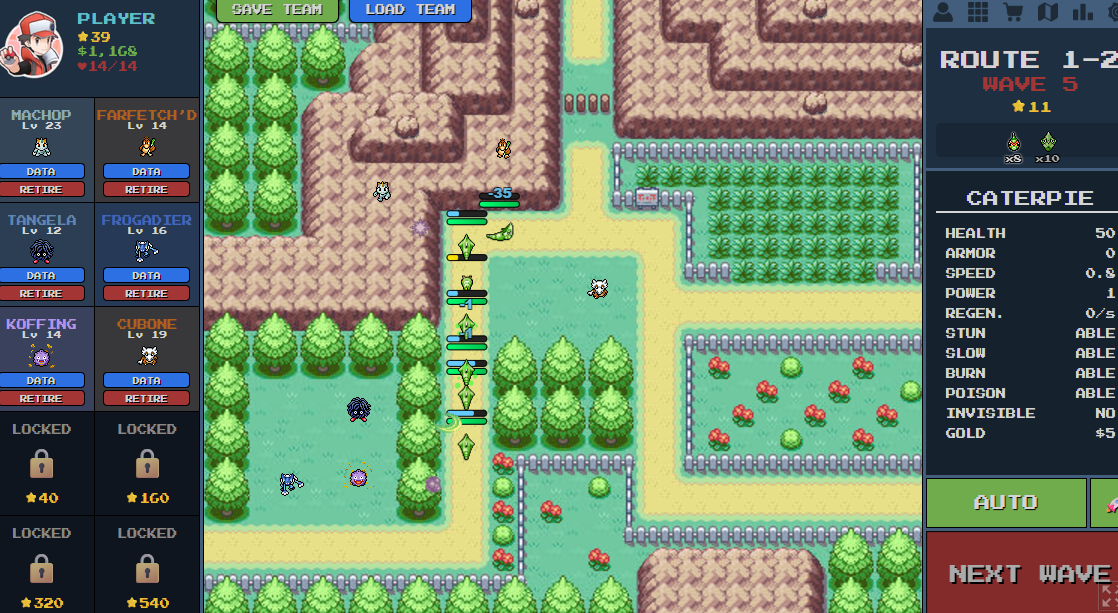
PokePath TD Wiki: Complete Game Mechanics & Data Guide
Welcome to the unofficial PokePath TD Wiki and comprehensive game guide.
Whether you are looking for specific evolution levels, trying to understand how status effects work, or searching for hidden game mechanics, this database has everything you need. This guide is updated for the latest version of PokePath TD (2025).
📊 Evolution Chart & Requirements Unlike the main-line Pokémon games, evolution in PokePath TD is simplified. Most Pokémon evolve purely by leveling up, even those that usually require stones or trading.
Below is the complete PokePath TD Wiki evolution data list, sourced directly from the game files and community testing.
Special Evolution Levels Most Pokémon evolve at their standard levels. These are the exceptions:
Pokémon Evolution Requirement Target Form Machoke Level 42 Machamp Haunter Level 50 Gengar Kadabra Level 50 Alakazam Graveler Level 45 Golem Murkrow Level 40 Honchkrow Sunkern Level 20 Sunflora Cottonee Level 28 Whimsicott Petilil Level 28 Lilligant Riolu Level 20 Lucario Tangela Level 36 Tangrowth Clefairy Level 25 Clefable Pokepath TD character.webp
(Note: If a Pokémon is not listed here, it likely follows the standard Level-Up requirements found in official Pokémon games, e.g., Charmander -> Charmeleon at Lv 16.)