How to leave a word puzzle unfinished without losing your place
There is a useful difference between finishing a puzzle and finishing a puzzle session. A session can end after one good deduction, an unsuccessful experiment, or a decision to stop staring at the same corner. You do not need a completed board to have made progress. The difficulty is returning later and understanding what you had actually established.
That problem becomes especially clear in puzzles that combine crossword clues with movable letter pieces. Part of your work happens on the board, but another part exists only in your head: a possible answer, a rejected orientation, or a suspicion that one apparently sensible placement is wrong. A saved board preserves the first part. It does not necessarily preserve the second.
Make the board easier to read before leaving
Before stopping, separate the things you know from the things you are testing. A word that definitely answers a clue is different from a piece that happens to fit an empty space. If you treat both as equally certain, you may spend the next session defending an arrangement that was only a guess.
A simple stopping routine is to identify one reliable clue answer and one unresolved question. You might know a particular crossing letter but remain uncertain about which piece supplies it. That is a more useful place to restart than a vague memory that the left side was almost finished.
You can keep a short note if the game does not provide one. Something like “recheck the crossing above the long horizontal piece” is enough. Avoid writing down a full walkthrough unless that is how you want to play. The purpose is to preserve your reasoning, not remove the puzzle.
Start small enough to understand the controls
A first level should help you distinguish a control problem from a solving problem. If a piece does not land where you expect, check how its position is anchored before deciding that your answer is wrong. Dragging a shape by its center and placing it by a marked letter are not necessarily the same operation.
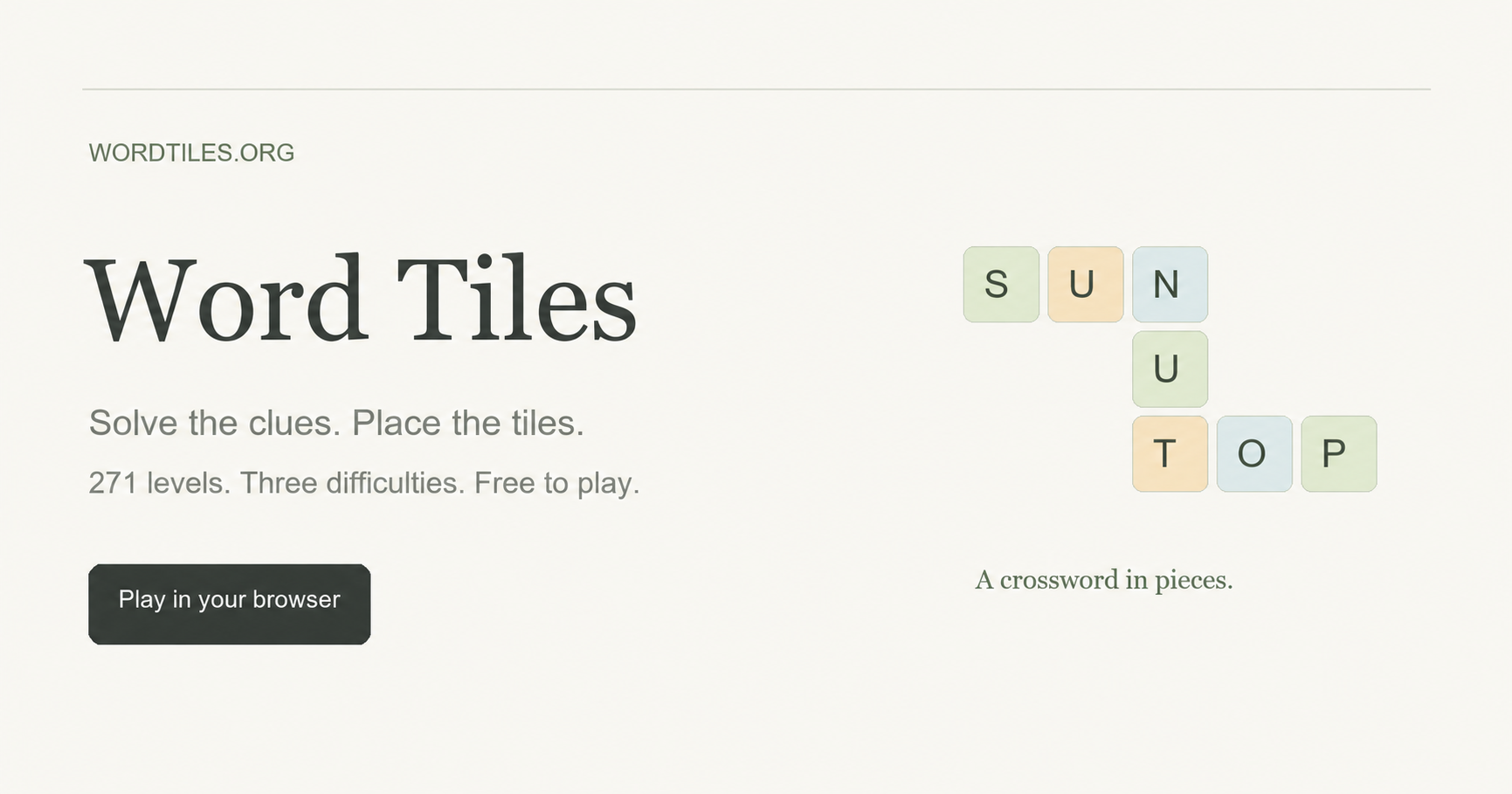
Word Tiles, a browser game on a site I manage, provides a concrete example. Its Normal level 1, First Crossings, has a three-by-four board, two pieces, and three words. Those small numbers make it a useful setting for learning how the letter pieces interact with a crossword. You can observe an entire arrangement without having to track a large pile of pieces.
The game uses a marked letter as the placement reference. Normal pieces keep a fixed orientation. Hard and Ultra add clockwise quarter-turn rotation, but never flipping. If you move between difficulties, remember that the set of available moves has changed. An arrangement impossible in Normal might require a rotation elsewhere, not a different clue answer.
Choose a stopping point instead of chasing a streak
Numbered puzzles and daily puzzles encourage different habits. A daily puzzle gives everyone a shared prompt, which can be enjoyable for comparison and conversation. A numbered collection gives you more control over which challenge to attempt and when to continue. Neither structure is automatically better.
For an interrupted day, it can help to decide on a small goal: learn the controls, complete one level, or resolve one uncertain crossing. The goal should describe something you can recognize. “Get better at word games” is too broad to tell you when to close the tab.
In this example, there is no countdown and no daily reset to wait for. The collection currently lists 271 levels across Normal, Hard, and Ultra. The first ten levels of each difficulty are available initially, with later levels unlocking in order. Progress is separate for each difficulty, so choosing an easier board does not require abandoning the harder collection.
Those details matter more than the size of the collection alone. A large list is not much help if you cannot find a reasonable starting point or resume an unfinished attempt.
Treat help as a change you should inspect
A hint can alter more than the piece you were watching. In Word Tiles, it places one piece in a reference position and returns conflicting pieces to the tray. That means a board can look less complete immediately after receiving help.
Instead of interpreting that as lost progress, ask what conflict was exposed. Was a plausible clue answer sitting in the wrong place? Did a neighboring piece block the reference placement? Understanding the change gives you something to use on another level.
Undo is useful for comparing arrangements while the page remains open, including changes made by hints or restarting. It should not be mistaken for a permanent history of every previous session. If your stopping routine depends on reconstructing ten earlier moves after reopening a tab, check the game’s limits first.
Know what a browser save does not promise
Local saving is convenient because it removes the need to create an account before playing. It also creates a boundary that is easy to overlook: the save belongs to that browser environment. Opening the same website on a different device does not imply that the same board will appear.
The documented behavior here is that completed levels and current placements remain in the same browser. There is no account-based cross-device synchronization. If you expect to continue later, use the same browser and avoid treating a bookmark as a backup of your progress.
The rules and control details are collected in the Word Tiles playing guide. I have used the game as an example because its combination of words, shapes, and local saves makes these distinctions visible, not because every puzzle session needs the same routine.
Before leaving any puzzle, try asking three questions: what do I know, what am I testing, and what will still be saved? A clear answer to each can make an unfinished board much easier to return to.
A useful Scrap Mechanic opening checkpoint: do not leave the crashed ship just because the visible fires look finished. Trigger Getting Started, extinguish the three marked interior fires, reconnect the console, and take the Logbook first. The later Mechanic Station uses a separate Master Battery. scrapmechanic.org/guides/be…
Not every personal tracker needs an account. I have been testing a simple Aniimo checklist that keeps the current 94-creature collection in the browser, with owned and missing filters. It is quick to use and does not ask for registration, though clearing browser data also clears the local progress. aniimo.cc/tools/col…
Checking one Sally Face detail at a time
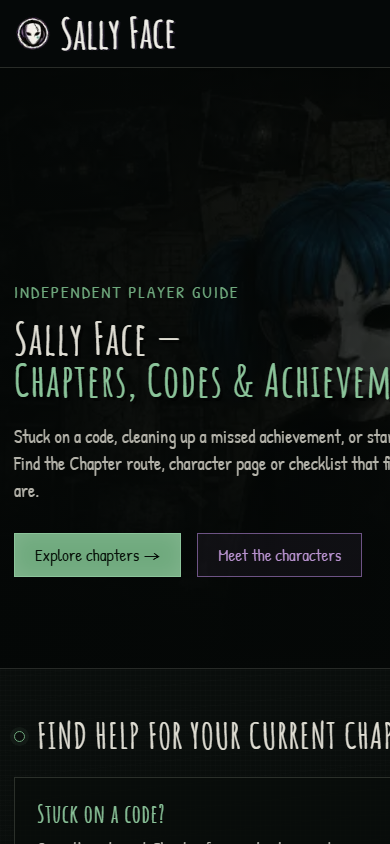
For story-heavy games, the best guide is not always the longest one. With Sally Face, I usually want a small answer first: a puzzle code, a missable check, a chapter route reminder, or an achievement condition that keeps a replay from wasting time. Reading an entire walkthrough too early can flatten the mystery, especially in a game where atmosphere and discovery matter.
That is why separated reference pages are easier to use than one oversized walkthrough. Chapter routes help when you need the next step. Character notes help when you forget where Sal, Larry, Ashley, Todd, or another story thread fits. Achievement lists are better for a second pass, when spoilers matter less and completion planning matters more.
I have been using this kind of structure as a cleaner way to keep help available without turning the whole game into a checklist. The Sally Face walkthrough guides here are organized around that kind of lookup: sallyface.org/guides
It is useful when you want help without reading ahead too far. You can check the one thing that is blocking progress, then return to the chapter with most of the mood still intact.
Palworld reference for quick checks: Pals, breeding, map locations, items, guides, and update notes. Useful when you want help without turning the game into a checklist. palworldwiki.org
Using a focused Echoes of Aincrad reference helps when routes, characters, weapons, or Death Game Mode details get unclear. I keep this guide hub handy for quick checks without turning the game into a full checklist: echoesofaincrad.net
A Compact Reference Hub for The Amazing Digital Circus
The Amazing Digital Circus has a lot of scattered episode, character, and lore discussion. This compact hub is useful as a quick reference because it keeps episodes, explained pages, character profiles, guides, and canon/theory notes in one place.
A useful way to approach SAND: Raiders of Sophie is to connect map questions with database notes. I am using this reference hub for routes, wiki data, and beginner planning: sandraidersofsophie.com/database
Using Maps and Camouflage Notes Together
Map knowledge matters in any hide-and-seek style game, but it becomes more important when camouflage is part of the core loop. A hiding spot is not strong just because it is out of the way. It needs to match the environment, protect movement, reduce obvious silhouettes, and give the player enough time to react when the search pattern changes.
That is why maps and camouflage notes work best when they are read together. A map can show rooms, routes, and important spaces, but it does not automatically explain which disguise choices make sense in those spaces. Camouflage information can explain visual logic, but it becomes more useful when players connect it to real locations.
For MECCHA CHAMELEON players, this combined approach can make practice more efficient. Instead of memorizing a route as a fixed answer, players can ask better questions. Which areas have clutter that supports disguise? Which rooms expose too many angles? Which paths are useful for repositioning? Which corners look safe but become obvious once the seeker knows the map?
The MECCHA CHAMELEON wiki is useful because it places several kinds of reference material near each other: wiki maps, beginner notes, online multiplayer help, simulator practice, workshop pages, and patch information. That structure helps players move from a general idea to a practical decision without searching through scattered posts.
One practical method is to study a map lightly before playing, then review it again after a match. Before playing, only look for major zones and route options. After playing, use the map to understand what happened. Maybe a hiding spot failed because the escape path was too exposed. Maybe a good disguise was used in the wrong room. Maybe the issue was not the location at all, but the timing of movement.
The camouflage simulator can fit into this same routine. If a player notices that certain colors or object shapes are easier to spot, they can test ideas outside the pressure of a live match. The goal is not to create a perfect formula. The goal is to build judgment.
This is also useful for returning players. Patch notes or workshop changes can affect how old habits feel. A route that seemed reliable in one version may need a new approach later. Checking updates alongside map and disguise references keeps advice from becoming stale.
The best guides for this type of game do not remove improvisation. They give players a clearer mental model. Once someone understands why a spot works, they can adapt when the situation changes. That is more valuable than copying one hiding place from a video.
For general gaming communities, the natural angle is simple: map knowledge and camouflage practice support each other. When a resource keeps both within reach, players spend less time searching and more time learning through play.
For Burglin' Gnomes players, I put together a compact guide for tasks, item notes, crafting choices, beginner routes, bestiary details, and co-op planning: burglin-gnomes.org It is meant to answer quick practical questions without taking away the fun of discovery.
For anyone following LumenTale, I put together a compact guide for the game: lumentale.org It keeps the basics in one place and makes it easier to get oriented before planning a run.
For anyone following Paralives, I put together a browser-friendly resource hub at paralives.wiki with guides, roadmap references, mods, simulator tools, and map pages in one place. It is meant to make quick check-ins easier as the game develops.
Short browser horror sessions work because the tension starts fast and every mistake matters more. I like how COBB CAN MOVE uses darkness, pursuit pressure, and shifting rules to make even a compact run feel uneasy: cobbcanmove.site/Short browser horror sessions work because the tension starts fast and every mistake matters more. I like how COBB CAN MOVE uses darkness, pursuit pressure, and shifting rules to make even a compact run feel uneasy: cobbcanmove.site
Short-session horror works surprisingly well in the browser when the game loop is readable and every failed run teaches something useful.
I wrote a quick note about that idea after trying COBB CAN MOVE, a browser-first survival horror roguelite built around darkness, route pressure, and adapting to shifting rules.
Even small browser games can hit hard when the tension starts early and the space keeps changing under the player.Short-session horror works surprisingly well in the browser when the game loop is readable and every failed run teaches something useful.
I wrote a quick note about that idea after trying COBB CAN MOVE, a browser-first survival horror roguelite built around darkness, route pressure, and adapting to shifting rules.
Even small browser games can hit hard when the tension starts early and the space keeps changing under the player.
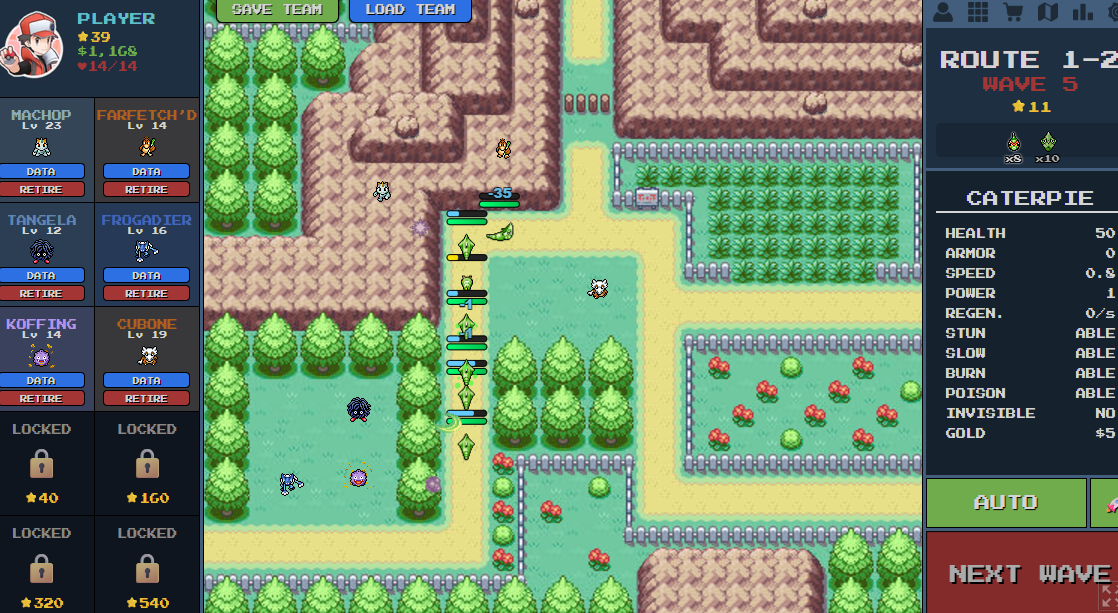
PokePath TD Wiki: Complete Game Mechanics & Data Guide
Welcome to the unofficial PokePath TD Wiki and comprehensive game guide.
Whether you are looking for specific evolution levels, trying to understand how status effects work, or searching for hidden game mechanics, this database has everything you need. This guide is updated for the latest version of PokePath TD (2025).
📊 Evolution Chart & Requirements Unlike the main-line Pokémon games, evolution in PokePath TD is simplified. Most Pokémon evolve purely by leveling up, even those that usually require stones or trading.
Below is the complete PokePath TD Wiki evolution data list, sourced directly from the game files and community testing.
Special Evolution Levels Most Pokémon evolve at their standard levels. These are the exceptions:
Pokémon Evolution Requirement Target Form Machoke Level 42 Machamp Haunter Level 50 Gengar Kadabra Level 50 Alakazam Graveler Level 45 Golem Murkrow Level 40 Honchkrow Sunkern Level 20 Sunflora Cottonee Level 28 Whimsicott Petilil Level 28 Lilligant Riolu Level 20 Lucario Tangela Level 36 Tangrowth Clefairy Level 25 Clefable Pokepath TD character.webp
(Note: If a Pokémon is not listed here, it likely follows the standard Level-Up requirements found in official Pokémon games, e.g., Charmander -> Charmeleon at Lv 16.)
Fish It Classic Event Guide: Master the Pass & Earn Tix
Dive into the Fish It Classic Event with this comprehensive guide! Learn how to master the Event Pass, collect Tix, and unlock exclusive rewards before December 14, 2025. Discover the fastest ways to level up and grab those limited-time cosmetics!
#fish #classic event #event pass #tix #rewards Roblox Fish It has introduced a massive new update featuring a unique battle pass system. The Fish It Classic Event is a limited-time opportunity for players to earn exclusive cosmetics, currency, and powerful items by collecting a special currency called “Tix.”
This guide will explain everything you need to know about the Fish It Classic Event Pass, including how to farm Tix, complete daily quests, and unlock every reward before the event ends on December 14, 2025. Don’t forget to check our Codes page for additional free rewards!
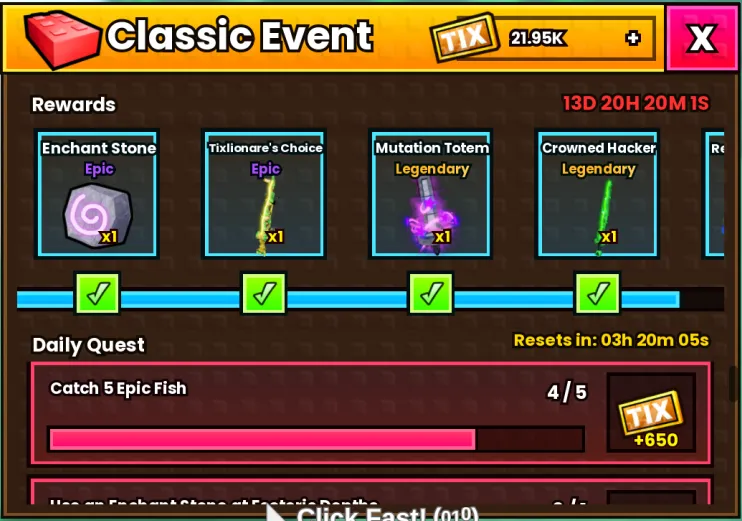
What is the Fish It Classic Event Pass? Unlike traditional battle passes that have a paid “premium” tier, the Fish It Classic Event Pass is entirely free for all players. It features a single rewards ladder with 15 levels. To climb this ladder, you must earn Tix by completing daily challenges.
🕒 Event Deadline The Fish It Classic Event is scheduled to end on December 14, 2025. Make sure to grind your Tix daily to reach the final milestone of 53,000 Tix.
How to Earn Tix in the Fish It Classic Event The primary way to progress through the Fish It Classic Event is by finishing Daily Quests. You will receive 4 random quests each day. Completing them can yield between 2,000 and 3,350 Tix per day.
Daily Quest Rewards List Here are the potential tasks you might receive and their Tix payouts:
Catch a Mythic Fish: 2,000 Tix (Highest Reward 👑) - Find all Mythic fish locations in our Fish Wiki Catch 5 Epic Fish: 650 Tix Catch 2 Friendly Lobsters: 600 Tix Location:Classic island Use an Enchant Stone at Esoteric Depths: 400 Tix Location:Esoteric Depths (Learn how to enchant rods effectively in our Best Enchant Guide or check all enchantment options in the Enchantments Wiki) Catch 5 Cantelope Puffers: 400 Tix Location:Classic island Catch 3 Gumball Whales: 400 Tix Location:Classic island Sell 300 Fish: 300 Tix Fish It Classic Event Pass Rewards List There are 15 milestones in total. You need to accumulate a total of 53,000 Tix to unlock the final legendary reward.
Classic Event TIX
300 Tix: 10,000 Coins 500 Tix: Uncommon Luck I Potion 1,000 Tix: Rare Studded Rod 2,000 Tix: 5,000 Coins 4,000 Tix: Uncommon Mutation I Potion 6,000 Tix: Rare Pursuit Lantern 8,500 Tix: Epic Enchant Stone 10,500 Tix: Epic Tixilionaire’s Choice 15,500 Tix: Legendary Mutation Totem 18,500 Tix: Legendary Crowned Hacker 31,000 Tix: Legendary Retro Utility Boat 🚤 38,000 Tix: Rare Luck II Potion 45,000 Tix: Legendary Noob Lantern 52,500 Tix: CLASSIC25 Retro Plaque Trophy 🏆 53,000 Tix: Legendary Classic Fishing Boat Can You Buy Tix with Robux? Yes. If you want to speed up your progress in the Fish It Classic Event, you can purchase Tix bundles directly from the event menu.
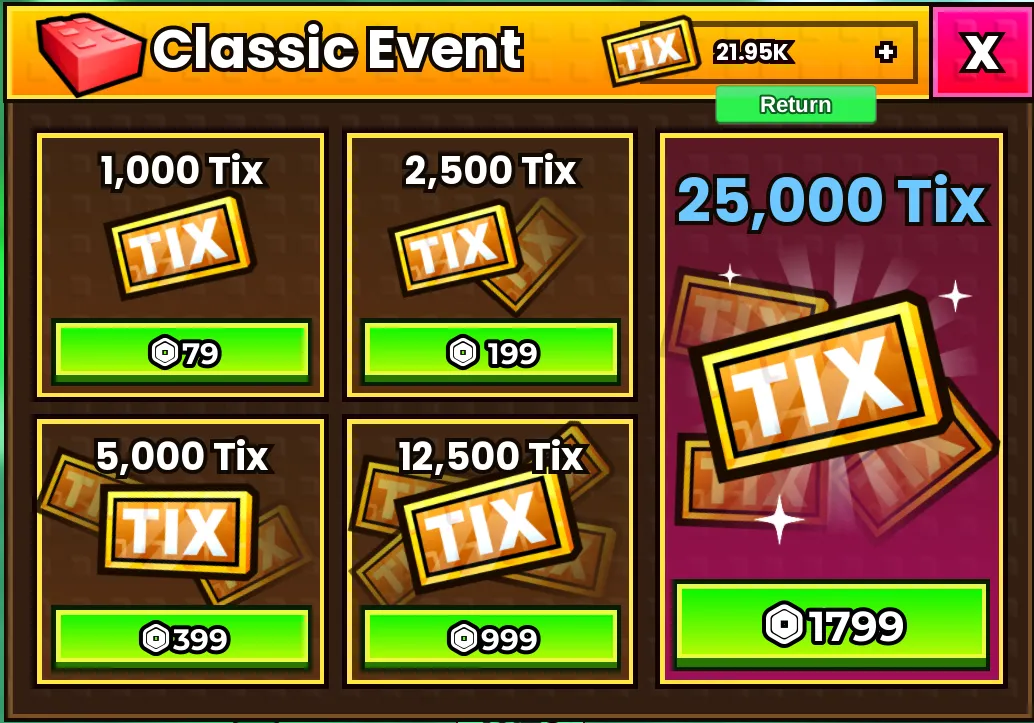
1,000 Tix: 79 Robux 2,500 Tix: 199 Robux 5,000 Tix: 399 Robux 12,500 Tix: 999 Robux 25,000 Tix: 1,799 Robux Classic Event TIX2
Pro Tip: To skip the entire pass instantly, you would need to buy two 25k bundles, one 2.5k bundle, and one 1k bundle. This will cost a total of 3,876 Robux.
Conclusion The Fish It Classic Event is one of the most generous updates we have seen. With over 2,000 Tix available daily for free, dedicated players can easily unlock the Legendary Classic Ducky Boat without spending a single Robux. Log in daily, check your quests, and start fishing!
VEIN on Steam: The Post-Apocalyptic Survival Game You Need to Wishlist Now
If you’re a fan of gritty, immersive survival games that test your wits, resourcefulness, and ability to adapt to chaos, mark your calendar for October 24, 2025—because that’s when VEIN, the highly anticipated post-apocalyptic multiplayer sandbox from Ramjet Studios, launches into Early Access on Steam. This isn’t just another zombie survival title; it’s a dynamic, living world where every decision could mean the difference between surviving the night or becoming another corpse in the wastelands. Let’s dive into why VEIN deserves a spot at the top of your Steam wishlist—and why you should head to https://veingame.net/ right now to learn more VEIN game.
First, let’s set the scene: VEIN drops you into a shattered version of upstate New York, where civilization has collapsed, and danger lurks around every corner. Zombies roam abandoned buildings, bandits hunt for unsuspecting survivors, and the environment itself shifts with the seasons—freezing winters, unpredictable storms, and persistent world events that keep no two playthroughs the same. This isn’t a game where you can just hole up in a cabin and wait it out; survival means constant movement, strategic scavenging, and building alliances (or fending off enemies) in a world that never stays quiet.
What makes VEIN stand out from other survival games on Steam? Start with its core gameplay loop, which balances tension and reward perfectly. You’ll spend your days exploring derelict hospitals, prisons, and towns to gather supplies—food, water, weapons, and building materials—all while avoiding (or fighting) threats. But here’s the twist: almost everything in the world is interactive. You can open mailboxes, adjust faucets, knock down doors, and even weaponize random junk (think throwing a can of beans at a zombie to distract it). This level of interactivity makes the world feel alive, not just a backdrop for combat. And when night falls? The stakes rise—zombies grow more aggressive, and the cold (especially in winter) can kill you faster than any enemy.
Then there’s the base-building and community aspect, which adds depth to long-term survival. You won’t just be scavenging to stay alive; you’ll be fortifying hideouts to protect your hard-earned resources from raiders and hordes. But VEIN isn’t a solo-only experience—you can team up with friends in co-op mode to build larger safe zones, trade rare loot, and even rebuild small pockets of society by helping friendly NPCs. Imagine defending your base from a zombie siege with a group of allies, or negotiating with another player clan for much-needed medicine—this is the kind of cooperative (and competitive) gameplay that turns good survival games into great ones.
One of VEIN’s most impressive features is its dynamic world systems. Seasons change in real time, forcing you to adapt: stockpile firewood for winter, repair your shelter before a storm hits, or reroute your scavenging runs when a random event (like a bandit raid on a nearby town) disrupts your plans. The AI is no slouch either—zombies can see, hear, and even smell you, while smarter bandits will set traps or ambush you if you’re not careful. It’s a game that rewards patience and planning, but also keeps you on your toes when chaos strikes.
If you’re worried about jumping into a complex game blind, Ramjet Studios has you covered. The official site https://veingame.net/ is packed with essential resources for new players: detailed guides on Day 1 priorities (like securing a vehicle or finding shelter before nightfall), skill and occupation selection (choosing the right starting role can give you a crucial edge), and even tips on locating high-tier loot—like the Clinton Correctional Facility Armory, which holds powerful weapons to turn the tide against zombies and bandits. There’s also a free demo available, which lets you test the core mechanics in a small region of the world (with skill levels capped at 50) and experience co-op play with friends—perfect for deciding if VEIN is your kind of survival challenge.
Don’t just take our word for it, though—early testers are already singing VEIN’s praises. One Steam reviewer, XxBoyEatsGirlxX, calls it “the BEST zombie survival game I have played. Period,” comparing it favorably to genre favorites like 7 Days to Die and Project Z. Another player, Cole, highlights the game’s realism: “What you expect to happen in real life, happens in the game so it makes survival feel real.” Even with its Early Access status, VEIN has already won over fans with its depth, polish, and the developer’s commitment to updating the game based on community feedback.
Before you dive in, let’s cover the basics: VEIN will be available exclusively on PC via Steam, with both solo and co-op modes. The minimum system requirements are manageable (Windows 10, 8 GB RAM, 40 GB storage), but if you want the full experience (smoother gameplay, better visuals), aim for 16 GB RAM and 80 GB of storage. At launch, the game supports English UI and subtitles, with more languages planned as wishlist milestones are hit. And fair warning: VEIN doesn’t shy away from mature themes—expect violence, gore, and depictions of drug/alcohol use, so it’s best suited for adult players.
By now, you’re probably itching to learn more—or even download the demo. The best place to start is veingame.net/, where you can find the latest news, detailed survival guides, and links to add VEIN to your Steam wishlist. Remember, Early Access launches soon, and the more wishlists the game gets, the faster Ramjet Studios can add new features (like additional languages or expanded multiplayer options) based on community demand.
Survival in VEIN isn’t just about staying alive—it’s about rebuilding, adapting, and finding hope in a world that’s lost everything. Whether you’re a solo player who thrives on solitude or a group that loves co-op chaos, this game has something for every survival fan. So what are you waiting for? Head to Steam, wishlist VEIN, and visit https://veingame.net/ to start preparing for the collapse. The wastelands are waiting—and they won’t be merciful.
Spend Bill Gates Money: The Addictive Game That Lets You Live Like a Billionaire
We’ve all daydreamed about it at some point—what would it be like to have the kind of wealth that lets you buy literally anything your heart desires? A private jet, a mansion with a home theater, a fleet of luxury cars, or even something absurdly over-the-top like a gold-plated yacht? While most of us will only ever experience that fantasy in our heads, there’s a delightful little game that lets you step into the shoes of one of the world’s richest people: Spend Bill Gates Money. If you’re tired of complex games with steep learning curves or grindy mechanics, this one is a breath of fresh air. It’s simple, silly, and surprisingly addictive—perfect for killing 15 minutes on your lunch break or unwinding after a long day. Let me break down why you need to hop over to https://spendgatesmoney.com/ and start spending (virtual) billions ASAP.
First, let’s talk about the premise—because it doesn’t get more straightforward than this. When you load up the game, you’re greeted with a whopping $100 billion (yes, billion) in virtual cash, courtesy of Bill Gates’ iconic wealth. Your only “mission”? Spend every last penny. No time limits, no enemies, no hidden objectives—just pure, unadulterated spending spree fun.
What makes the game so charming is its eclectic mix of items to buy. You’ll find all the usual billionaire staples: a $70 million private jet, a $20 million beach house in Malibu, a $5 million Ferrari LaFerrari, and even a $1 billion superyacht (because why not?). But the real joy comes from the quirky, unexpected items that make you laugh out loud. Want to buy 10,000 pizza parties for your friends? There’s a $50,000 option for that. Fancy a pet giraffe? Grab one for $45,000. How about a lifetime supply of avocado toast? Yep, that’s on the menu too.
One of my favorite things about Spend Bill Gates Money is how it puts wealth into perspective. When you first see $100 billion, it feels like an infinite amount. You’ll click “buy” on a $10 million mansion without a second thought, thinking, “That’s nothing!” But as you keep adding items to your cart—maybe a few private islands ($200 million each), a collection of rare art ($500 million), and a donation to your favorite charity (because even virtual billionaires should give back)—you’ll start to realize just how quickly those billions dwindle. It’s a weirdly humbling experience, and it makes you appreciate just how massive Gates’ actual wealth is.
The game’s design is intentionally minimalist, which works in its favor. There are no flashy graphics or loud sound effects—just a clean interface that lists your items, their prices, and your remaining balance. This keeps the focus on the core fun: choosing what to buy and strategizing (if you can call it that) how to blow through all your cash. Will you go all-in on ridiculous luxury items, or will you mix in some practical (and still expensive) purchases? The choice is yours.
Another great touch is the shareability. Once you’ve spent all $100 billion, you can take a screenshot of your “purchase history” and send it to friends. It’s fun to compare what everyone bought—some people will fill their cart with cars and jets, while others will spend half their budget on pizza and giraffes. It’s a great conversation starter, and it’s easy to dare your friends to beat your “most absurd purchase” list.
At the end of the day, Spend Bill Gates Money isn’t a game that’s going to win any Game of the Year awards. But that’s not the point. It’s a lighthearted, nostalgic throwback to the simple browser games we used to play as kids, and it’s perfect for anyone who’s ever wanted to indulge in a little billionaire fantasy. It’s free, it’s easy to pick up, and it’s guaranteed to make you smile.
So what are you waiting for? Head over to https://spendgatesmoney.com/ right now, grab that $100 billion, and start spending. Just don’t blame me if you end up losing track of time trying to decide between a private rocket and a lifetime of coffee. Happy spending!

The Hoarder's Guide to Escape from Duckov: What to Keep & What to Sell
Of course! Here is a blog post written in a humanized, player-to-player style, based on the reference material you provided. The Hoarder’s Guide to Escape from Duckov: What to Keep & What to Sell We’ve all been there. You finish a great raid, your backpack is bursting with loot, and you get back to your bunker only to face the true final boss of this game: Inventory Management. Your stash is full, every slot is precious, and you’re paralyzed by the fear of selling that one random item you’ll desperately need for a quest three weeks from now. Let’s be real: You can’t keep everything. Learning what to hoard and what to turn into cold, hard cash is one of the most important skills in this game. So, let’s break it down. The Golden Rules of Looting Before we get into lists, let’s start with a mindset. Embrace the Sell Button: Selling isn’t failure; it’s progress. Every useless item you sell is cash that can be turned into better ammo, armor, or that gun part you’ve been eyeing. Know Your Needs: The most important items are the ones you need right now. Make a habit of checking your upgrade stations in the bunker to see what materials are required. Mark those items mentally (or physically!) as “hands-off.” The “One of Each” Rule: When in doubt, keep at least one of every unique item you find. If you find a second one and don’t have an immediate use for it, that’s a good candidate for selling. Escape from Duckov What to Sell

No I'm Not a Human: How to Know If You Killed a Visitor
Introduction Killing in No I’m Not a Human is unavoidable, but the real question is whether you made the right call. Visitors and humans leave behind different signs after death. Knowing these signs lets you confirm if your paranoia was justified, or if you just killed an innocent guest. This guide will help you understand the aftermath of your deadly decisions.
Death aftermath in No I’m Not a Human Human Deaths in the Game When you kill a human, their body is not shown directly. Instead, three bloody body bags appear. This visual is consistent for every human victim. It is the game’s way of making sure you feel the weight of the mistake.
The body bag system serves as a constant reminder of your errors in judgment. Each time you see those three bags, you know you’ve taken an innocent life. This mechanic reinforces the psychological horror aspect of the game, making you question every decision. For more on managing this pressure, check our survival strategies guide.
Visitor Deaths in No I’m Not a Human When you kill a Visitor, the outcome is very different. Visitors leave behind their corpse rather than body bags. On top of that, your vision distorts for a moment, showing uncanny, inhuman faces. This effect is unique to Visitors and confirms that the guest you killed was not human.
The vision distortion is a key gameplay mechanic that provides immediate feedback. These disturbing visual effects serve as both confirmation and reward - you made the right call, but the game still reminds you of the horror you’ve witnessed. The corpse remains visible, unlike human victims who are discretely bagged.
Key Differences Summary Human Death: Three bloody body bags appear, no corpse visible Visitor Death: Corpse remains visible, vision distorts with inhuman faces Confirmation: The visual difference is your only way to know for certain
More No I’m Not a Human